Grass in Godot
I decided to try my hand at creating a stylized grass shader in the Godot engine (v4.4). This study stemmed from a game jame idea. (will update with game link when done)
Godot Setup
No addon or special setting was used, just enabled some Environment (Post Process) effects to be easier on the eyes.
Terrain Mesh
For the grass terrain, I generated a subdivided plane and applied some displacement to it. This method allows me to quickly iterate and easely change it in the future.
MultimeshInstance3D vs GPU Particles
For this study, we opted by using Godot’s MultiMesh Instance 3D as opposed to GPU particles. This was mainly due to ease of use.
MultiMesh3D has a slight draw-back as opposed to GPU Particles. It has to feed the GPU all the mesh instance’s positions to the GPU every frame, which could cause a possible bottleneck in the long run.
Base Mesh
Model
Our initial iteration of the grass base mesh is composed of a few intersecting quads composed in total of 32 tris and 64 verts
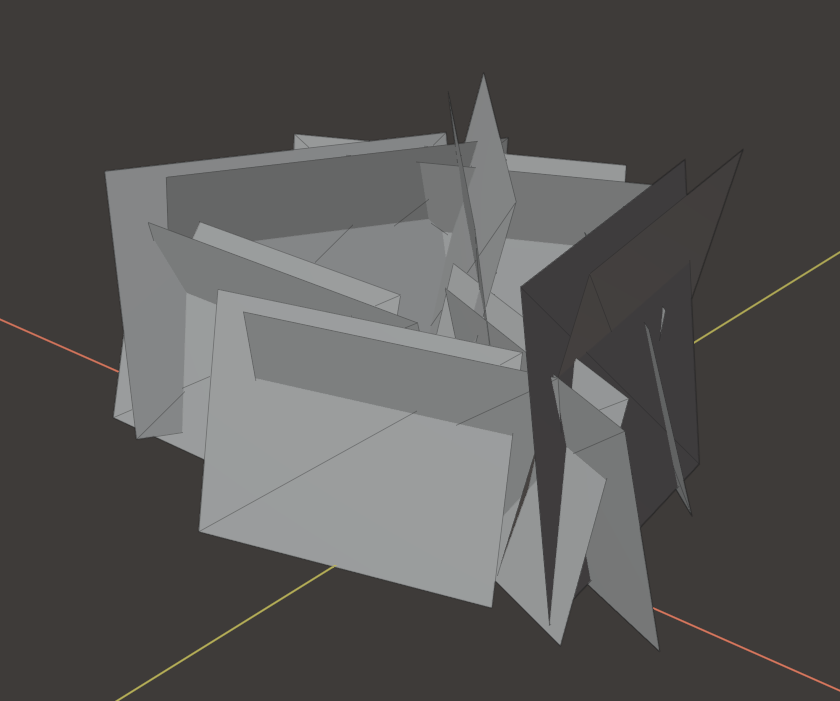
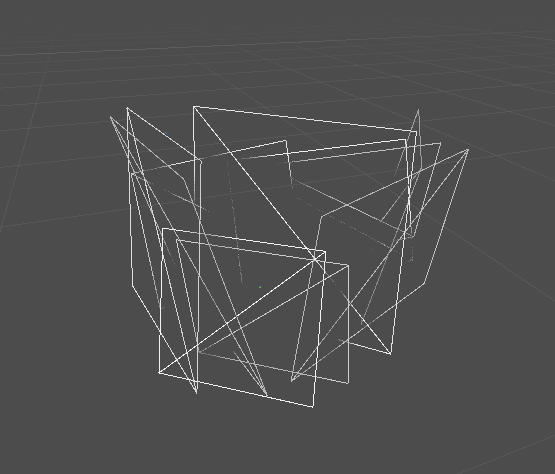
Texture
For the texturing, we went for 3 maps: Base Color, Alpha and Normal
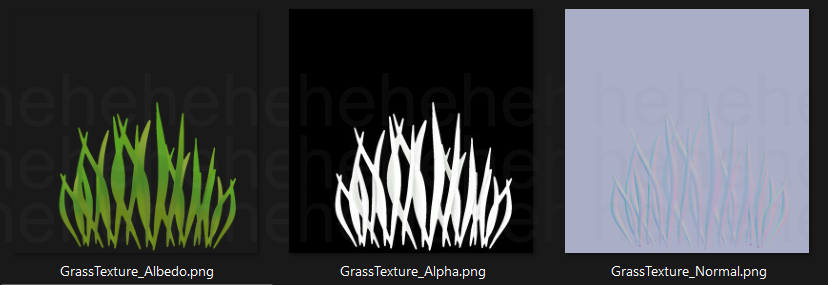 Just by Applying these 3 texture maps to the model, we get this result
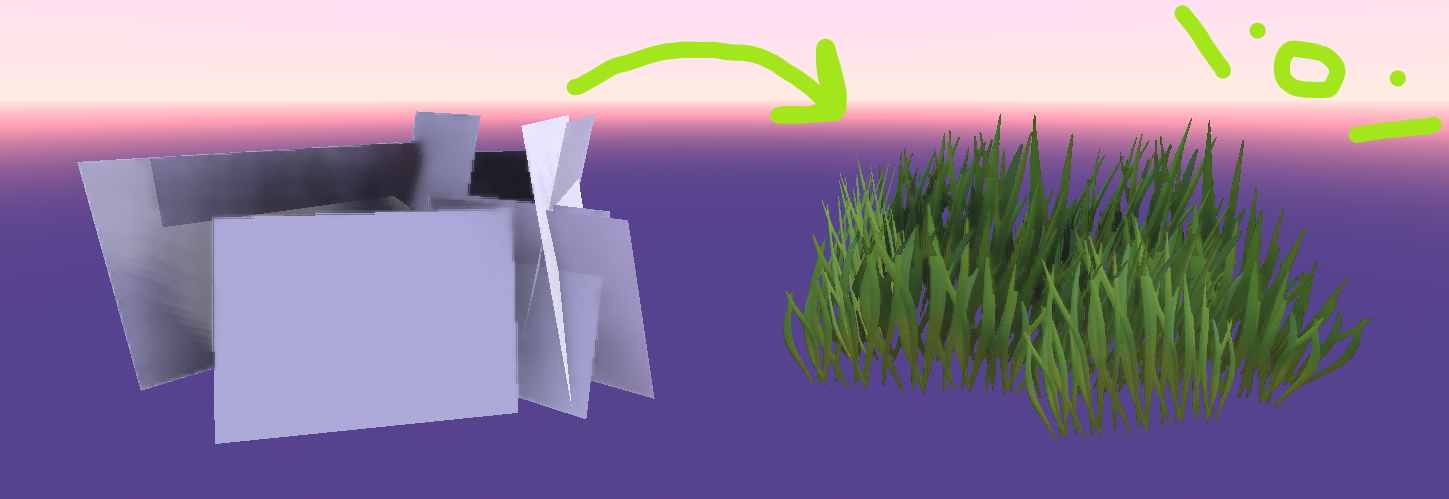
Shader
For the shader, I followed some online resources, namely these two amazing talks by industry professionals over on GDC:
Windsway
For the wind sway, I wanted to achieve a small motion and a bigger motion acting as one. As such, i went with the following approach for the smaller wind
    // Small swaying effect
    float wind_offset = sin(VERTEX.x * wind_scale + time_factor) * wind_strength;
    float wind_offset_z = cos(VERTEX.z * wind_scale + time_factor) * wind_strength;
By mixing Sin() and Cos() a more natural, “circular” motion is achieved.
As for the “big wind”, I’ve simply used the same logic as the previous approach but increased the sample scale
    // Big swaying effect
    float big_wind_offset = sin(VERTEX.x * wind_scale*.1 + time_factor ) * wind_strength * 4.0;
    float big_wind_offset_z = cos(VERTEX.z * wind_scale*2.0 + time_factor) * wind_strength * 2.0;
By merging both wind displacements and sligtly changing the color based on the wind mask, we get this result
Lighting
Normal Inversion
By default. without any shader interference, the grass texture produced these dark spots
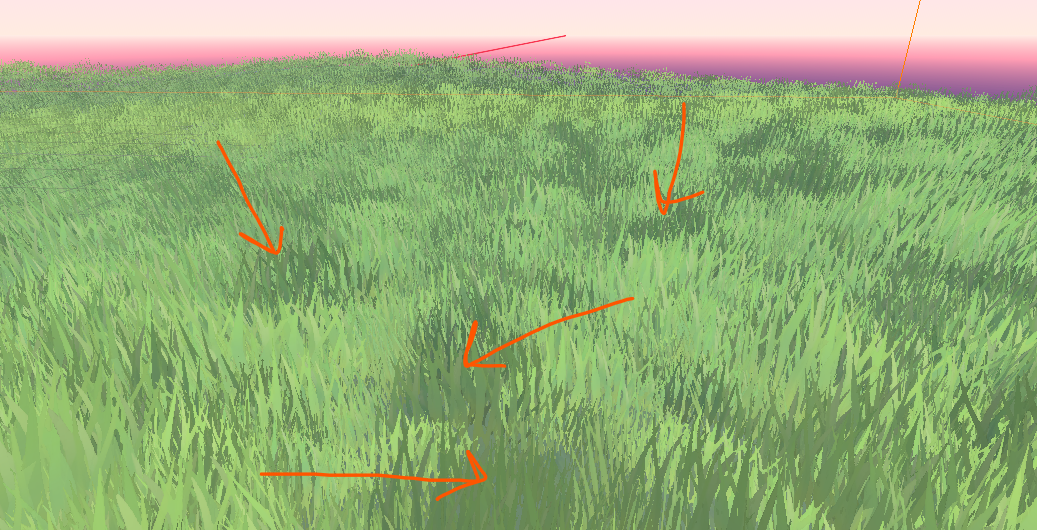
This is due to how game-engines render light on faces opposite to the light source by default on objects. In itself, nothing is wrong, but it’s not the effect I wanted for the grass.
In order to fix it, I had to override the default light() function in the shader to ‘ease’ the dark areas
    // this gets us a "mask" that tells us where the light is affecting the object
    float light_intensity = max(dot(NORMAL, LIGHT),0.0);

    // expose a 'light_opposite_tint' color to override the dark areas with and mix them using the mask
    vec3 obj_light_color = mix(light_opposite_tint.rgb, white, light_intensity);

    // finally, assign it to the diffuse light output
    DIFFUSE_LIGHT = obj_light_color;
Integrating Other Shadows (Attenuation)
By overriding the Light() function, godot expects us to make all the calculations related to light, meaning that
right now the grass is not being affected by other object’s shadow.
To fix that, we just need to integrate provided ATTENUATION in our light calculations.
ATTENUATION is a factor that reduces the effect of light as it “travels” further from the light source. A value between 0 and 1, with 0 meaning no light effect and 1 meaning full light effect.
I’ve decided to have more control over the shadows by adding an exposed light_intensity float and a shadow_tint color
vec3 obj_light_color = mix(shadow_tint.rgb, mix(light_opposite_tint.rgb, white, light_intensity), ATTENUATION);
By doing this, we now have control over how the shadows affect our grass
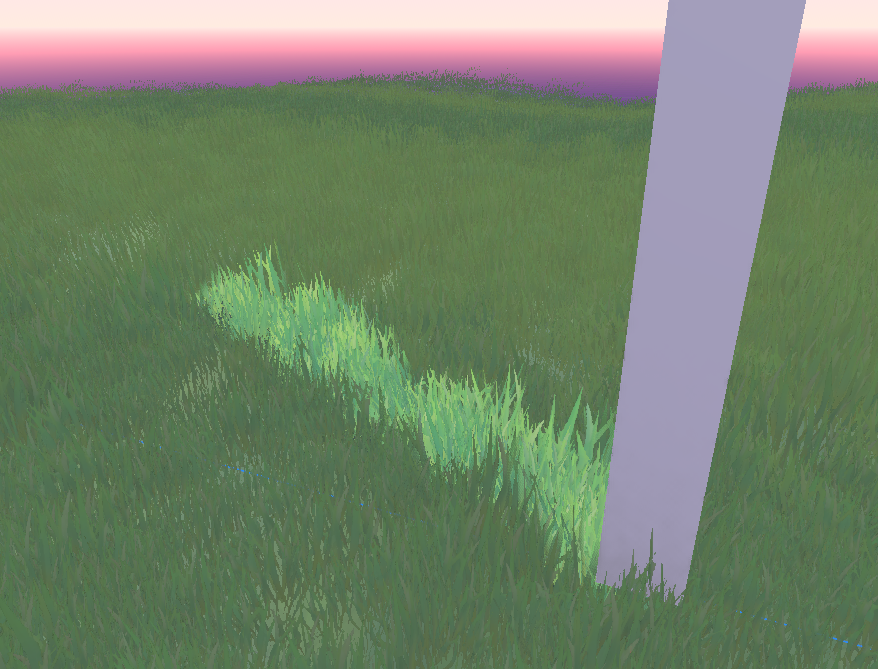
Final Lighting Result
In the end, we get many variables that allow us to fine-tune the grass rendering
Size
Additionally, I wanted control over the grass size for extra control. For this, I had two possible approaches: Vertex Paint the grass or calculate a gradient based on the object’s position. I chose the latter since I did not make the model and did not have immediate access to the source.
Although, this option proved to not be ideal due to the way Godot handles the sub meshes of Multi-Mesh Instance 3D sub-meshes. Despite that, it still provided a believable outcome. I’d change the approach to read from vertex colors instead of shader-calculated gradient in the future. Nevertheless, this is how I did it via shader:
float y_pos_mask = VERTEX.y - NODE_POSITION_WORLD.y;
... - NODE_POSITION_WORLD.y, we subtract world node pose because vertex positions are set to worldspace in this shader example using render_mode world_vertex_coords.
Which provided the folowing mask
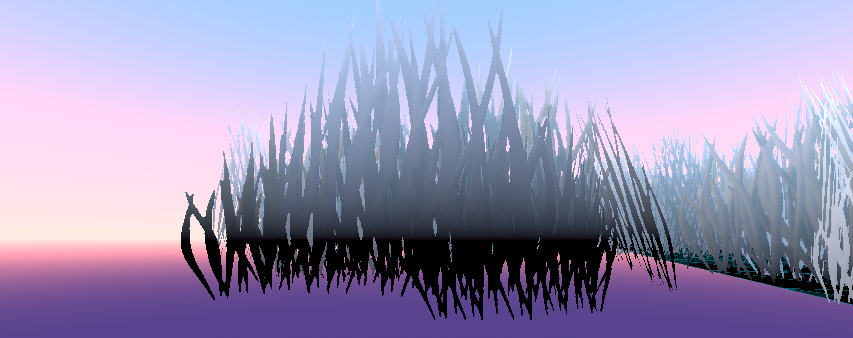
Allowing me to then use it in the calculations of the Y vertex offset in the shader. Which resulted in control over the grass height
Clumping
Grass clumping is when grass grows in dense, uneven tufts instead of spreading evenly. It can happen due to poor soil, lack of nutrients, or the natural growth habit of certain grass species. It can make lawns look patchy and uneven.
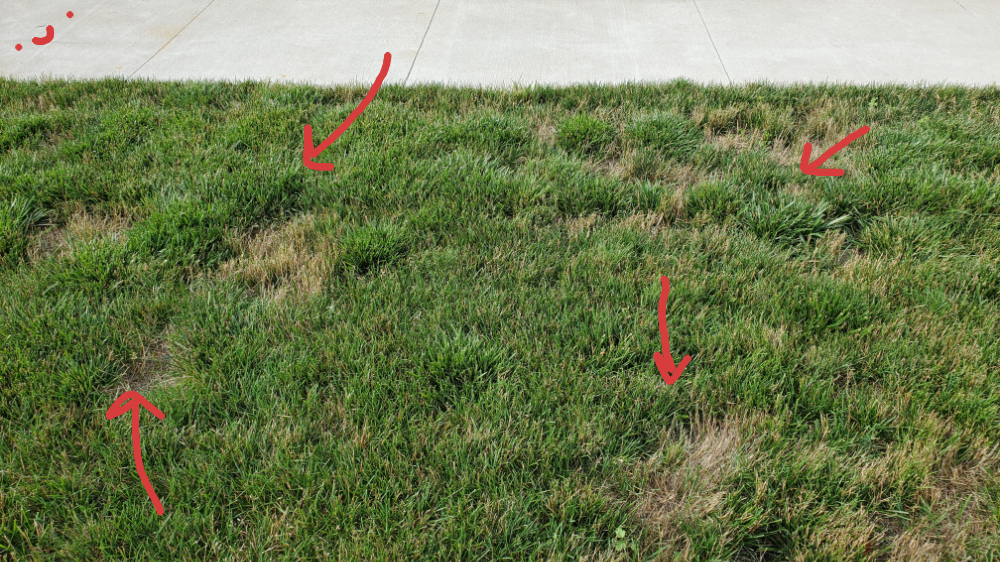
This affects density and color of the grass, it is an important step to increase the believability of this virtual grass.
I took advantage of the previous control over the grass height and plugged in a world-space noise texture to create the clumping mask that controls the natural height.
This is how the noise mask looks

in order to make it affect the grass height, I plugged it in the Y Vertex displacement calculations
VERTEX.y += y_size + max(((pow(clump_variation_value, clump_height_pow) -.5) * 2.0) * clump_height, -0.4);
(...-.5) * 2.0 normalizes the clump variation value by shifting the range and then scaling it to control the strength of the clump effect in the grass height.
pow(clump_variation_value, clump_height_pow) raises the clump_variation_value to the power of clump_height_pow. This operation exaggerates or reduces the effect of clumping on the height of the grass, depending on the values
max(..., -0.4) ensures that the value doesn’t go below -0.4. It sets a lower limit for the displacement, preventing the grass from being lowered too much (to avoid negative height, which makes the grass “sink” or disappear below the ground).
After some color and value tweaking, i managed to get a believable and stylized effect
Conclusion
This was the first time I used shader code instead of nodes, meaning that some things here could probably be improved or be outright wrong. But it still looks good and I’m proud of what I’ve achieved in a few days with minimal shader knowledge.
What’s next
I still want to add world position displacement for interacting with world elements and test performance to see where the shader can be improved optimization wise.
Plus, this is for a Game Jam game! So i also want to finish that game 🙂
Credits
- Miguel Martinho is the artist behind the grass model/textures and partner in crime for this project.
- Game Creators Club (GCC) is the monthly game jam this project is being made for.